Brand Survey Analyzer

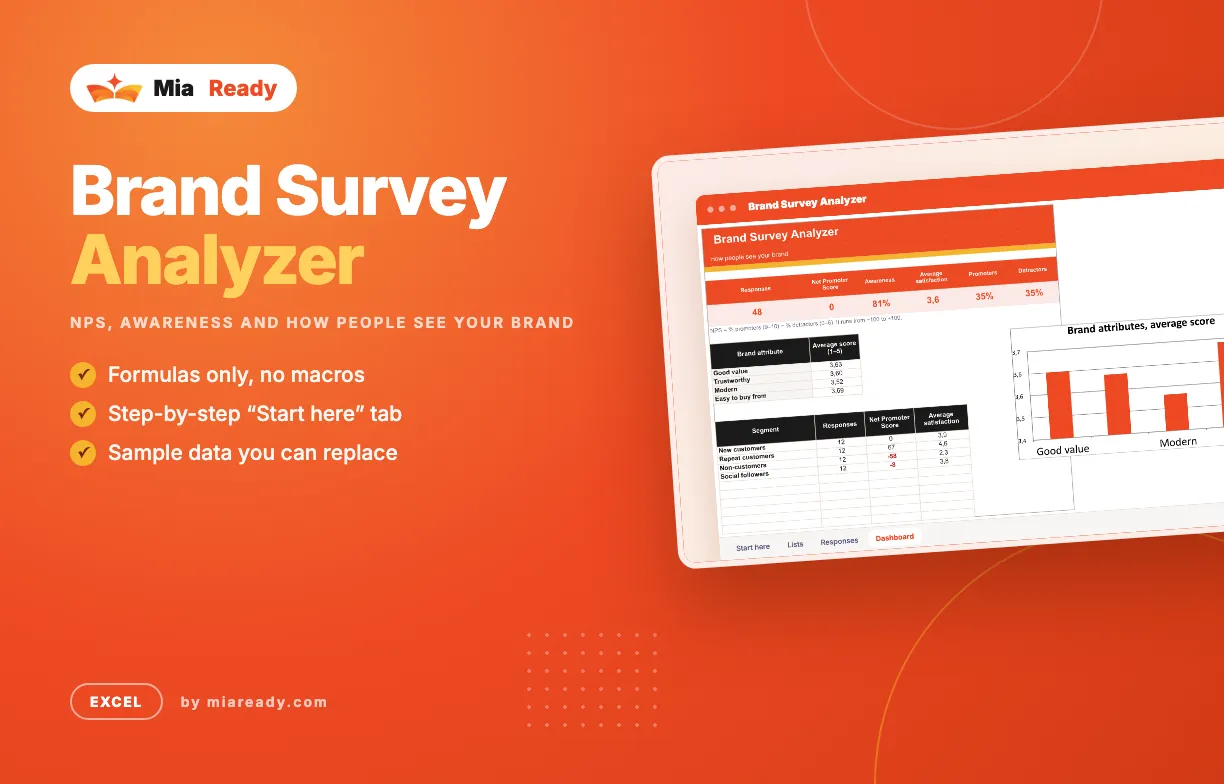
Paste survey answers and get NPS, awareness, satisfaction and brand attribute scores, overall and by customer segment.

One row per respondent. Works with answers exported from Google Forms, Typeform or a paper survey typed in.

What's in the file

  • Start here — step-by-step guide and colour legend
  • Guide — How to read the numbers. Plain explanations of every number, how to read the result and the mistakes to avoid.
  • Lists — Edit the drop-down lists. You fill in: Segments.
  • Responses — One row per person. You fill in: Date, Segment, Knew the brand?, Recommend (0–10), Satisfaction (1–5), Good value, Trustworthy, Modern, Easy to buy from. Worked out for you: NPS group, Promoter, Detractor.
  • Dashboard — How people see your brand. Shows: Responses, Net Promoter Score, Awareness, Average satisfaction, Promoters, Detractors, a chart.
  • Summary — What the numbers say. Shows: Responses, Net Promoter Score, Awareness, Average satisfaction (1–5), Promoters, Detractors, Good value, Trustworthy, Modern, Easy to buy from, Weakest attribute, Passives.
  • Action plan — What you will change next. Write what you will change, why, who owns it and by when; status shows in colour.
  • Checklist — Survey routine. 8 steps to tick off, with a progress bar.

How to use it

  1. In Lists, edit the customer segments you survey.
  2. In Responses, add one row per person: segment, whether they knew your brand, 0–10 recommend score, 1–5 satisfaction and the four attribute scores.
  3. Rename the four attributes in the Responses header to match your survey.
  4. Dashboard shows NPS, awareness, satisfaction and results by segment.

What it does

  • Net Promoter Score with promoters, passives and detractors
  • Awareness and average satisfaction
  • Average score for four brand attributes
  • NPS and satisfaction by customer segment
  • Two files in each language: a blank Template to fill in, and an Example filled with sample data
  • Available in several languages; Arabic files are laid out right-to-left
  • Formulas only, no macros or add-ins
  • Instant download after purchase

Included Files

  • A file in the language you choose
  • Arabic files laid out right-to-left
  • Step-by-step guide
  • Free updates for this version

Works With

  • Microsoft Excel
  • Excel for Mac

Support

Questions about setup? Send us a message from your account page and we reply by email.

Brand Survey Analyzer

The video tutorial for this template is coming soon.

No reviews yet. Reviews appear here after customers rate the template.

Write a review
Your rating
FAQ
  • Which language is the file in?

    You get the file in the language you pick at the top of the site. If a template is not available in that language yet, you get the English file. Arabic files are laid out right-to-left.

  • Do I need macros or add-ins?

    No. The templates use formulas and built-in charts only.

  • Can I change the template?

    Yes. Rename columns, add rows, change colours and add your logo.

  • How do I get the files after paying?

    The download link appears on the order page and in your account right after payment.

Personal License

For you, on your own projects and your own company reports.

Team License

Share the files with up to 10 people in your company.

Free

File language: English

Free template. Enter your email and the files are yours right away.

We'll email you when new templates come out. Unsubscribe anytime.

Mia Ready
39 templates in the shop
View All Templates
  • Last updateNov 18, 2026
  • PublishedNov 16, 2026
  • CategoryBranding
  • File format.xlsx
  • LanguagesEnglish
  • LayoutLeft-to-right; Arabic right-to-left
  • MacrosNone
  • Works WithMicrosoft Excel, Excel for Mac
  • Tags Excel, Branding
Like this template?

Found it useful? Recommend it to other marketers and earn 30% of every sale you bring in.

Become an affiliate